
Google Maps
If your website includes a Google Map — whether it's showing a single location or multiple pins — you can update and manage those map settings directly in the Editor. This article covers the tools shown in the video above and guides you through the most common scenarios.
Where Do Maps Appear?
Maps most commonly appear on:
Editing a Single-Location Map
If your site has just one address to display, the map will typically appear as its own block in the Editor.
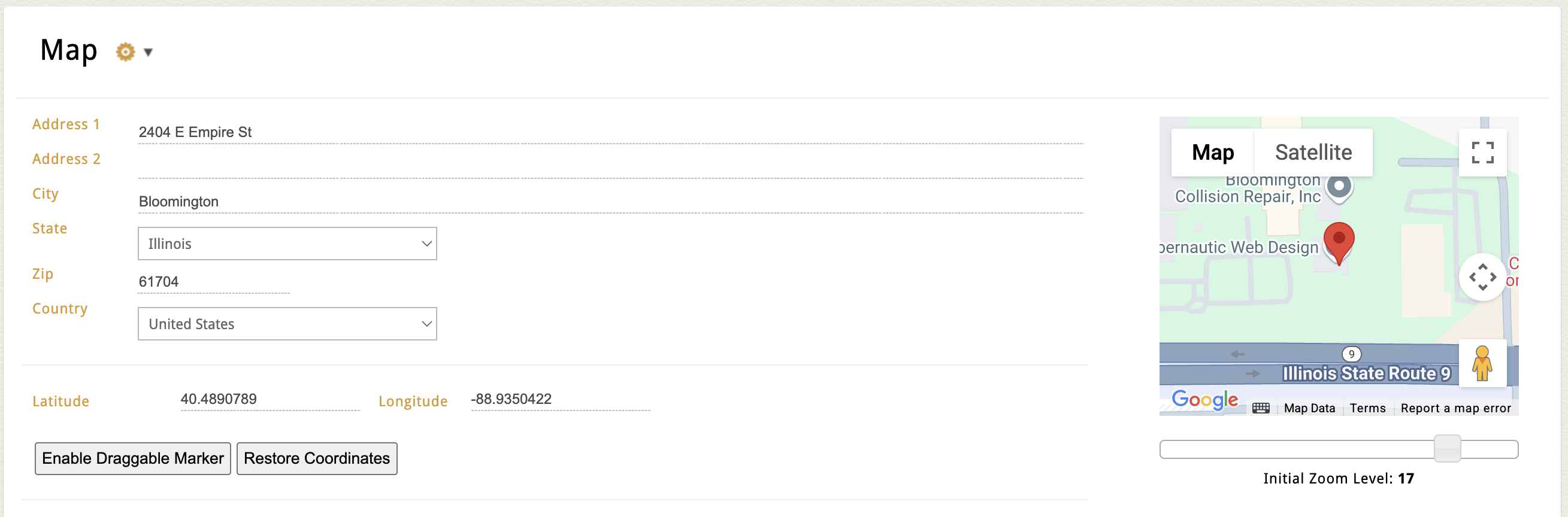
Here’s how to edit it:
- Open the page that contains your map.
- In the map block, you’ll see dedicated input fields for:
- Address Line 1
- Address Line 2 (optional)
- City, State, Zip
- Country
- As you enter your address, you’ll see a live preview of the Google Map on the right side of the screen.
- You can also:
- Adjust the default zoom level (zoom in or out depending on how close you want the map to appear)
- Enter latitude and longitude manually (optional — useful for fine-tuning pin placement)
Editing a Multi-Location Map
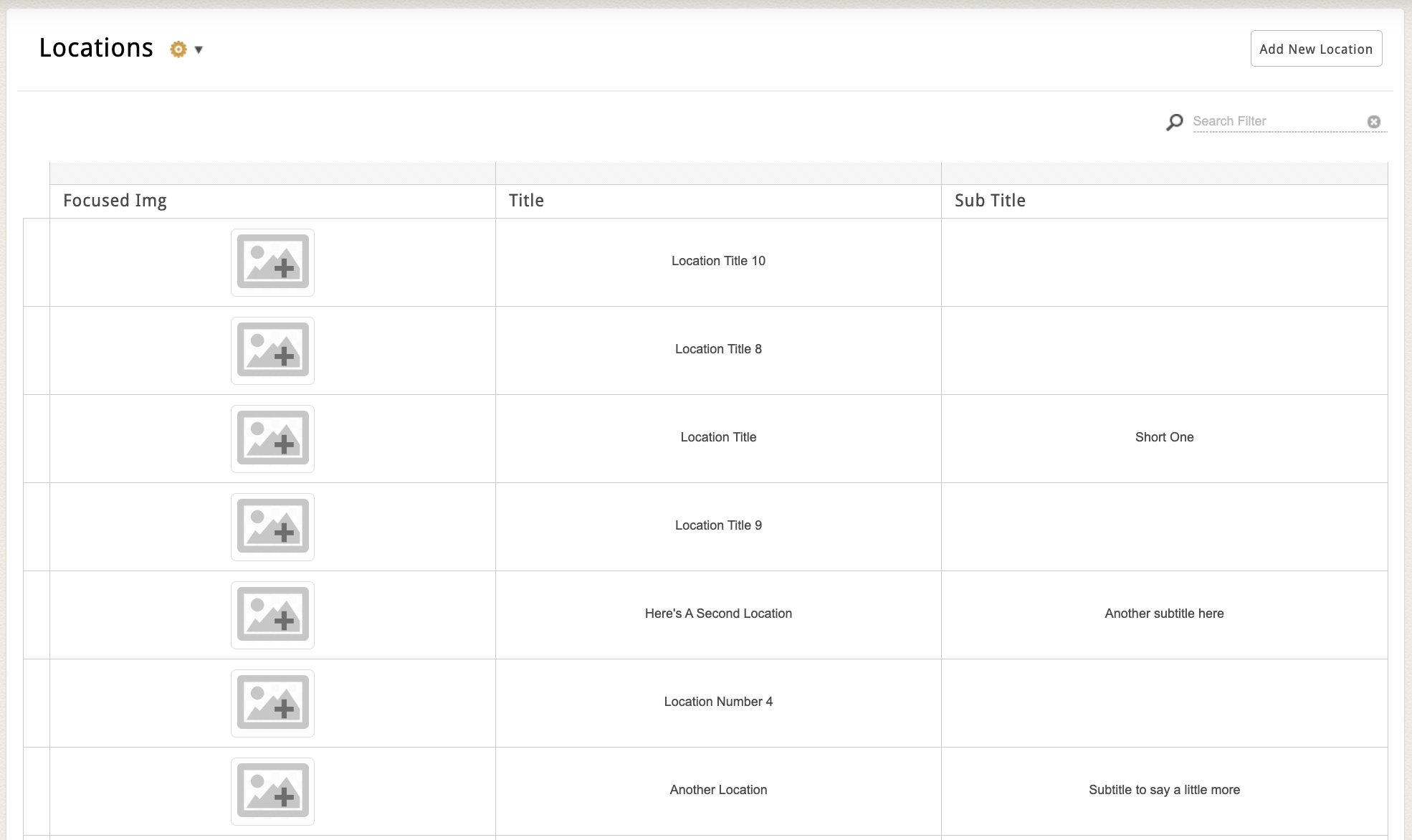
If your site displays several locations on a single map:
- Look for a Locations-style page in the Editor.
- You’ll typically see a list of location entries in a flex grid. Specific attribute fields for your locations may vary, but common ones include:
- Location photo
- Name of the location
- Address details
- Location description
- Phone
- Fax
- Updating any of these entries will automatically update the pins on your map.
You may also have access to:
-
Sorting or filtering options (e.g. show only locations in a certain state)
-
Category dropdown to group locations together
-
A zoom level or center-point setting to control the default view
Want to Add Your Own Google Map?
If your page doesn’t already include a map — or you want to embed a separate map elsewhere on your site — you can do that too using the Embed Code tool in the Editor.
Option 1: Embed a Basic Google Map
This method is great for showing a single address or location.
Option 2: Use Google MyMaps to Show a Service Area or Multiple Pins
If you want to draw shapes (like a delivery zone), add multiple pins, or color-code regions, Google’s MyMaps tool is your best option.
Google’s official how-tos for MyMaps: